https://us02web.zoom.us/rec/share/gjX_JbXxiGi3m1AySdAqpmIs1D5TqqXRNoIYCjMovmtBCo81mlc8EjS71e-T_OwN.aX-0r9zjJ9tfTcKn
Passcode: =T%9wvWs
Step 1
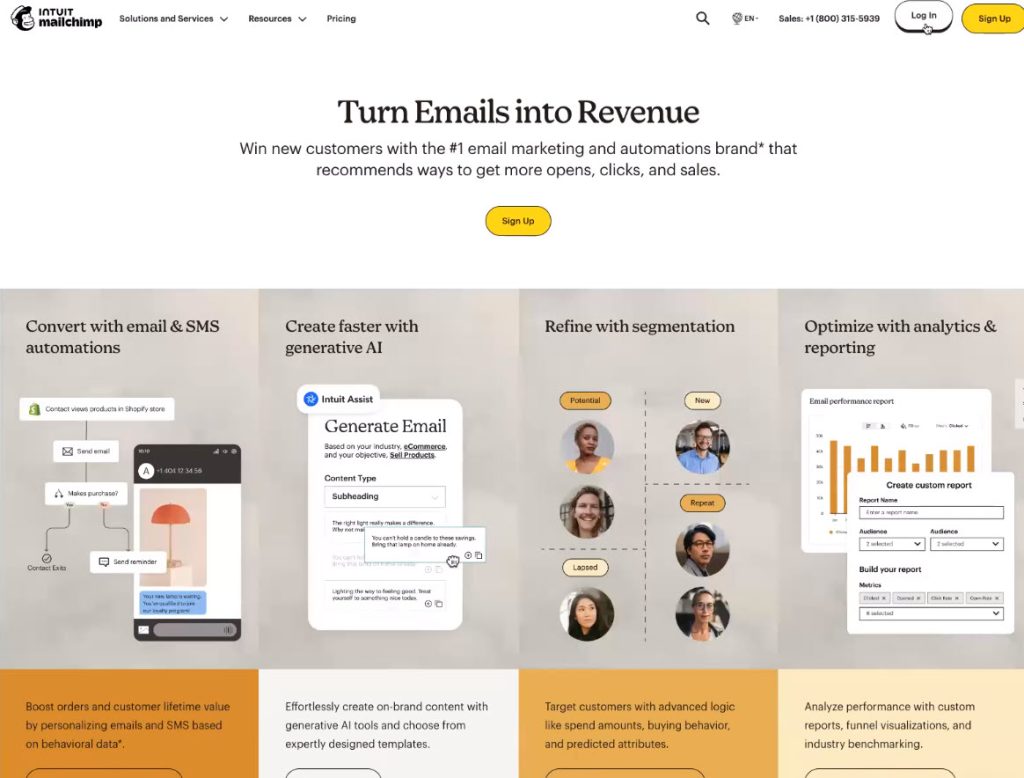
Log-in to mailchimp.com.
Step 2
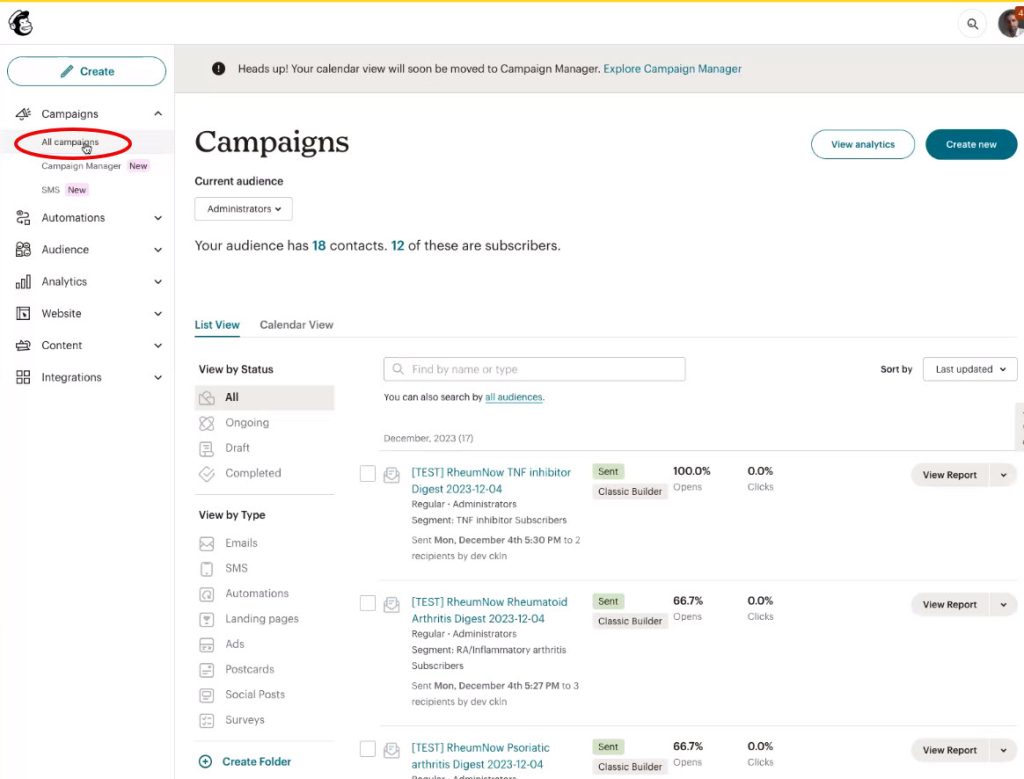
Navigate to all campaigns.
Step 3
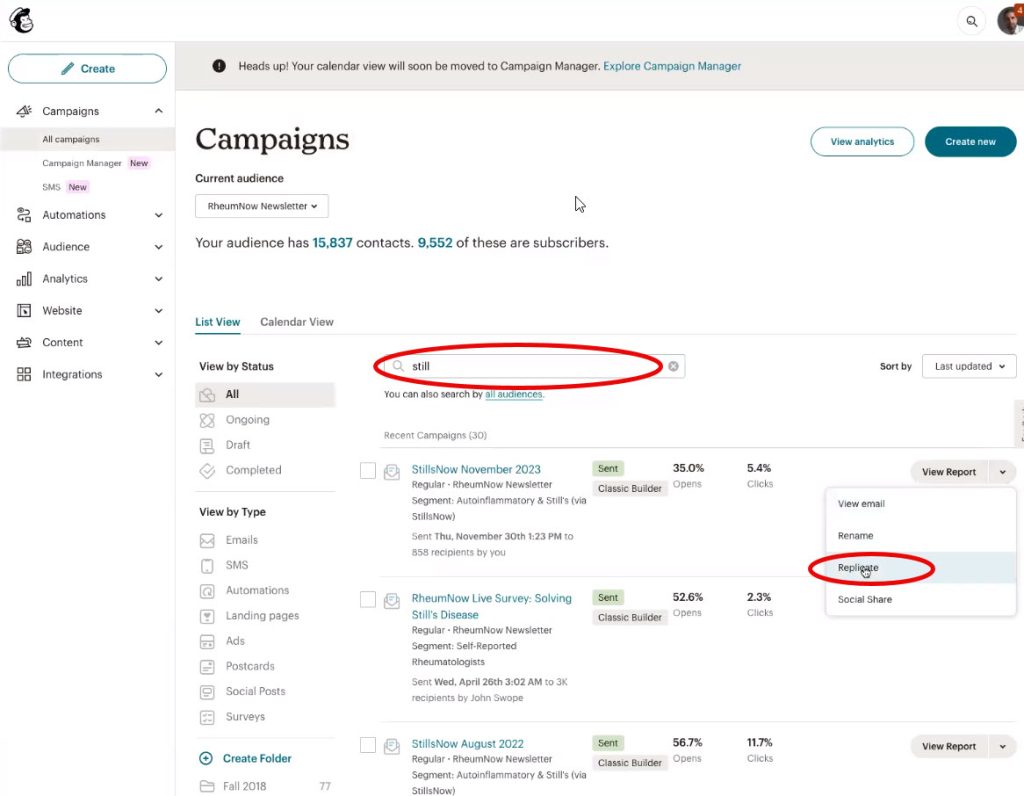
Search for an email (e.g. anti-rheumatic email or stillnow email) and click “Replicate“.
Step 4
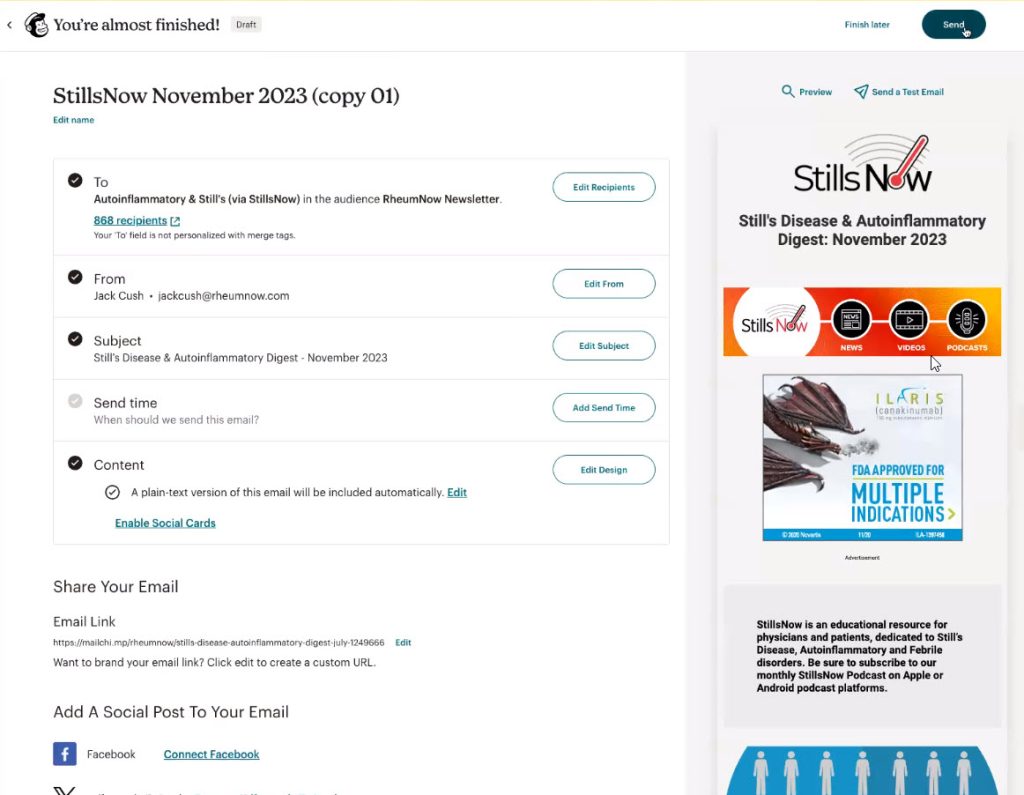
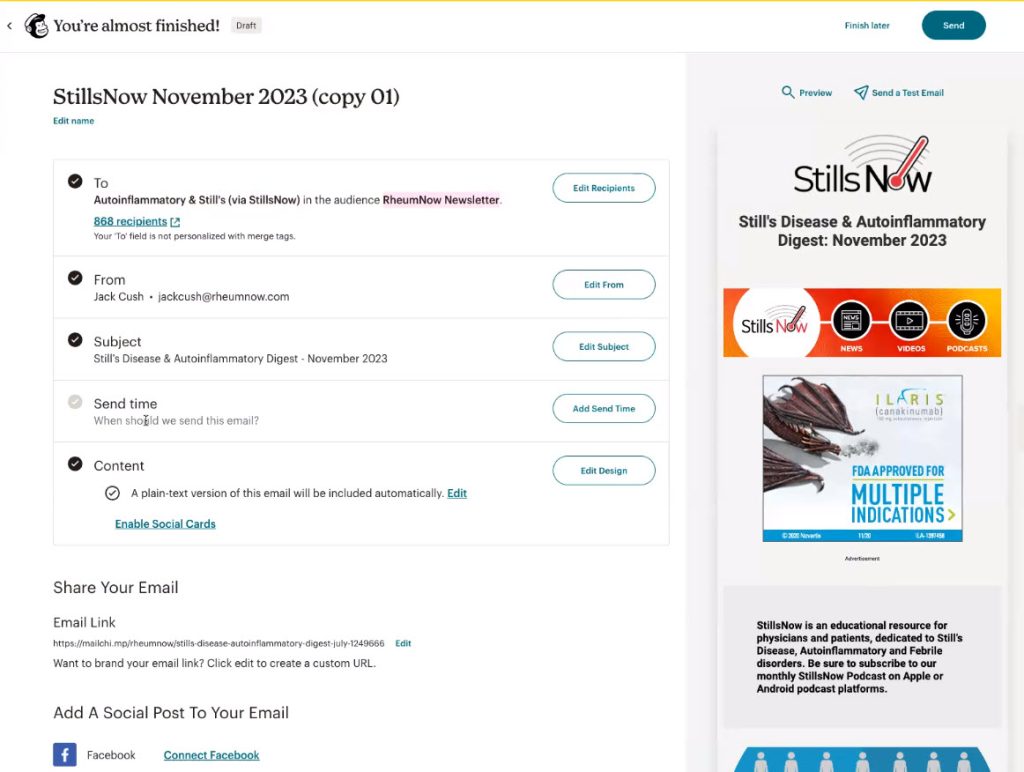
You will find these contents of the email:
- Audience. Should be auto-inflammatory, Still’s via StillsNow
- From. Jack Cush <jackcush@rheumnow.com>
- Subject. Can be whatever you want.
- Sent Time. Can be whenever you want.
- Content. Where you can edit design.
Step 5
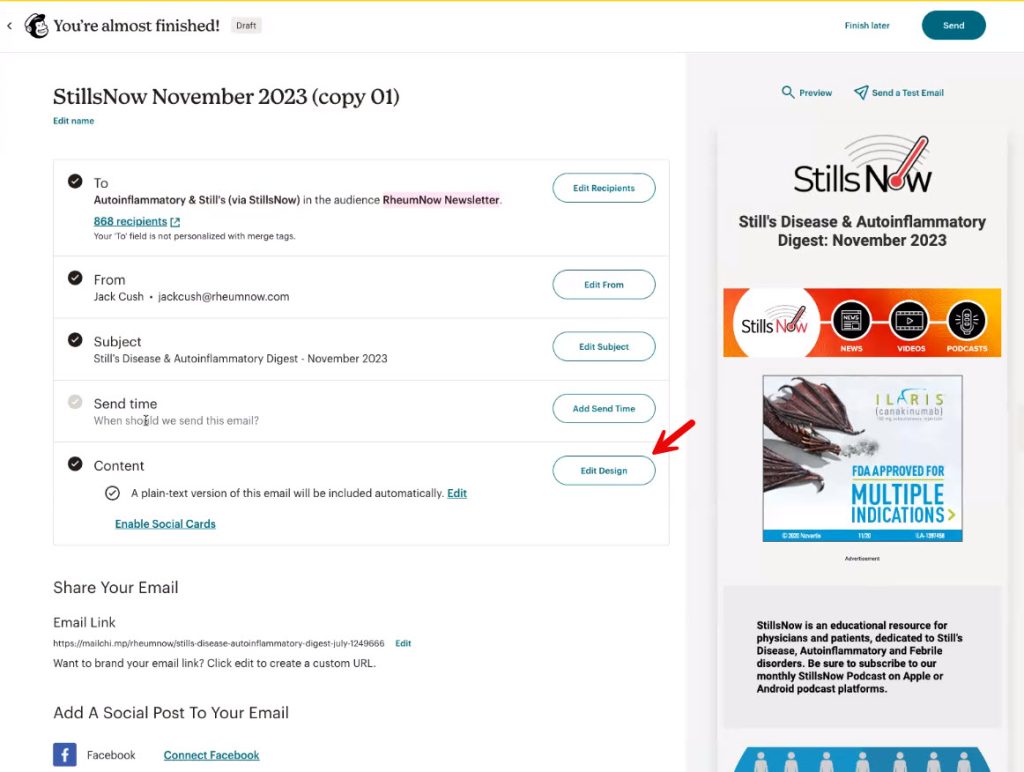
To edit the design of the content, click “Edit Design“.
Step 6
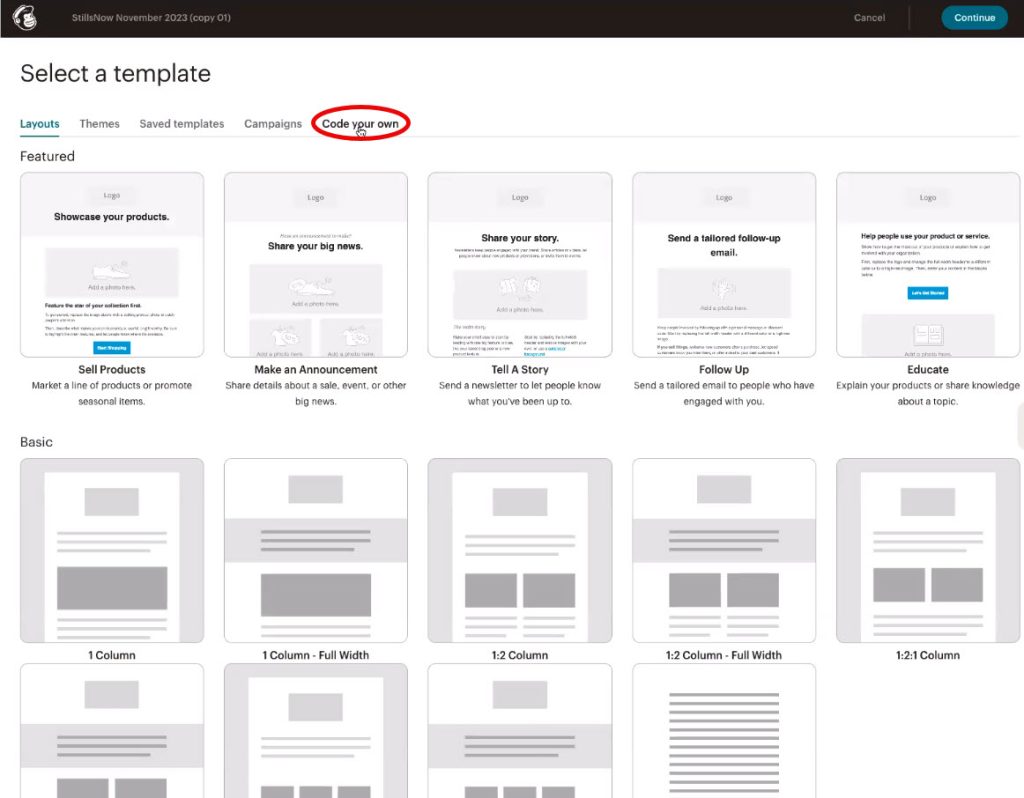
Click “Code your own“.
Step 7
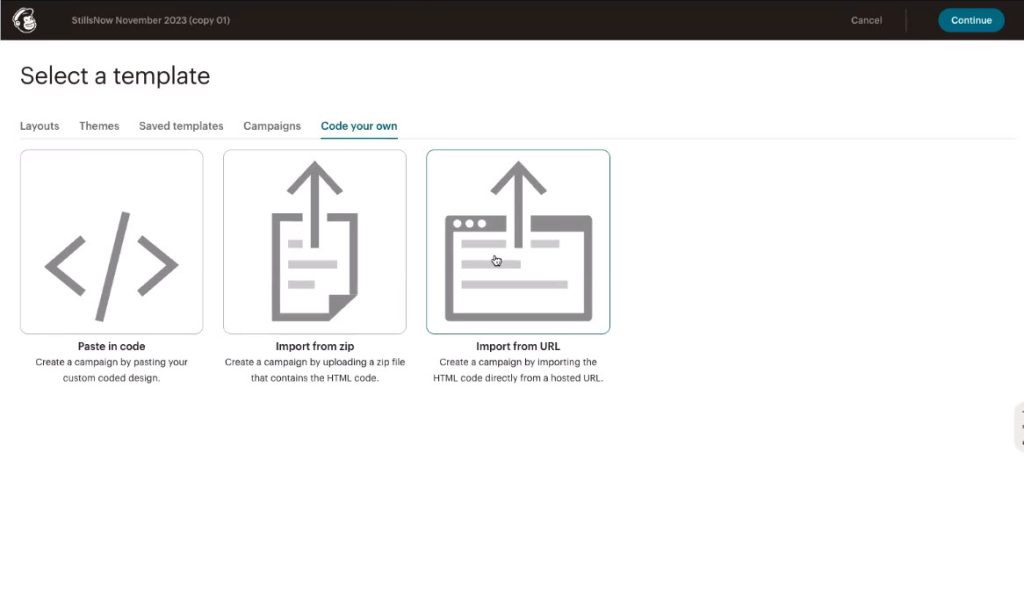
There will be an option “Import from URL“, click it.
Step 8
It should have the URL below:
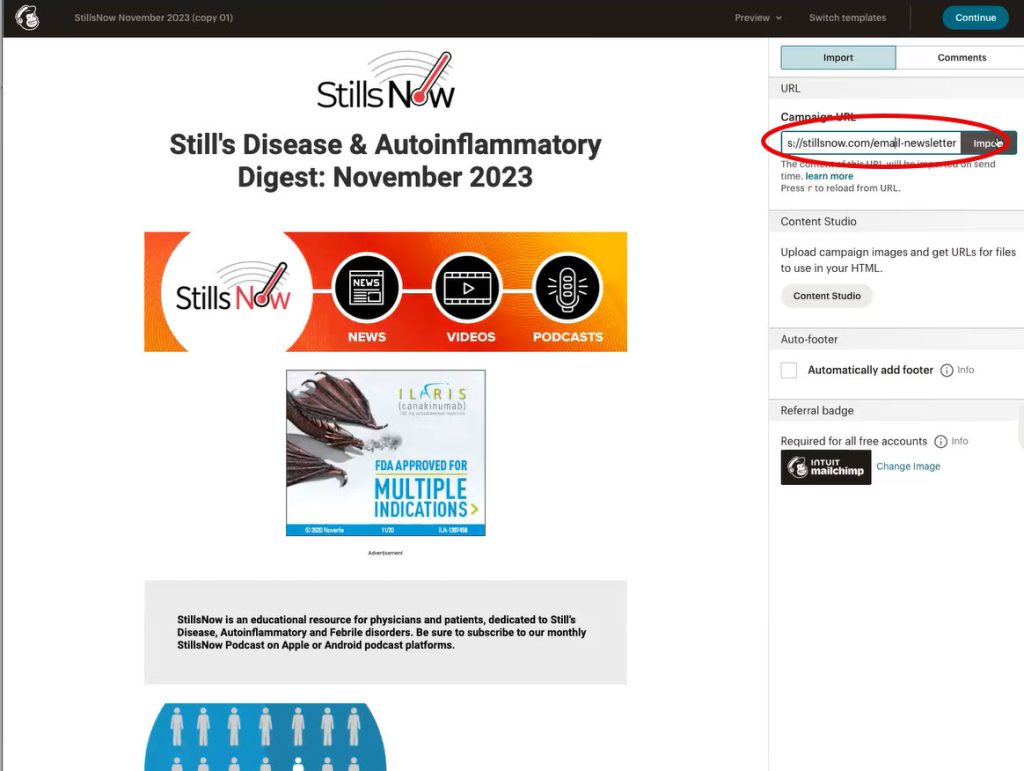
Step 9
Click “Import” to pull the page from the site.
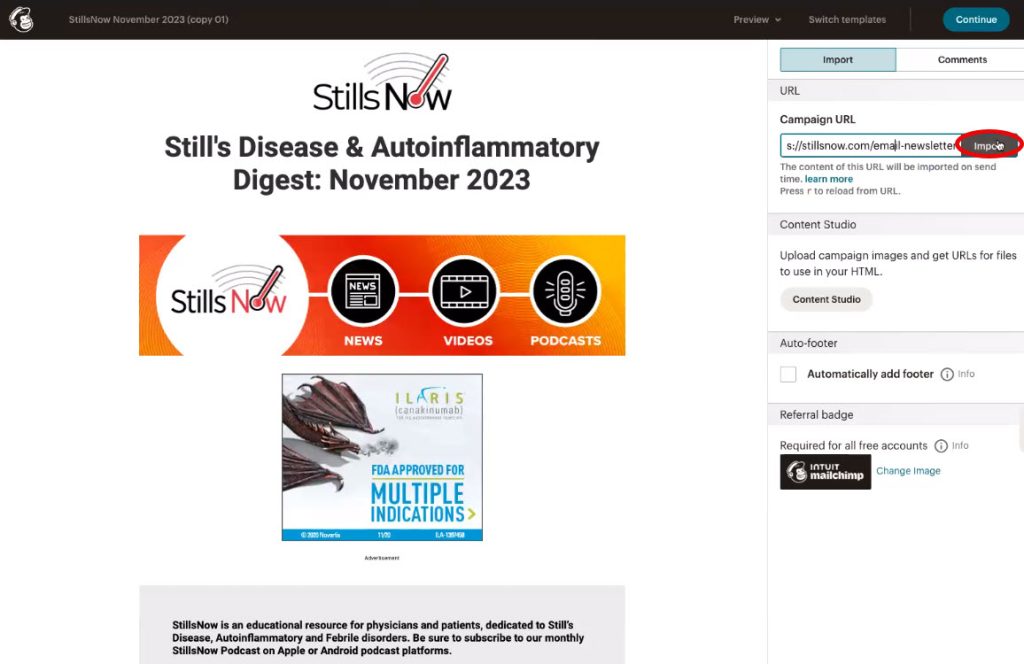
Note: In the Mailchimp preview mode, articles are stacked on top of each other, but in the email they appear correctly side by side.
Step 10
To send a test email click “Send a test email“.
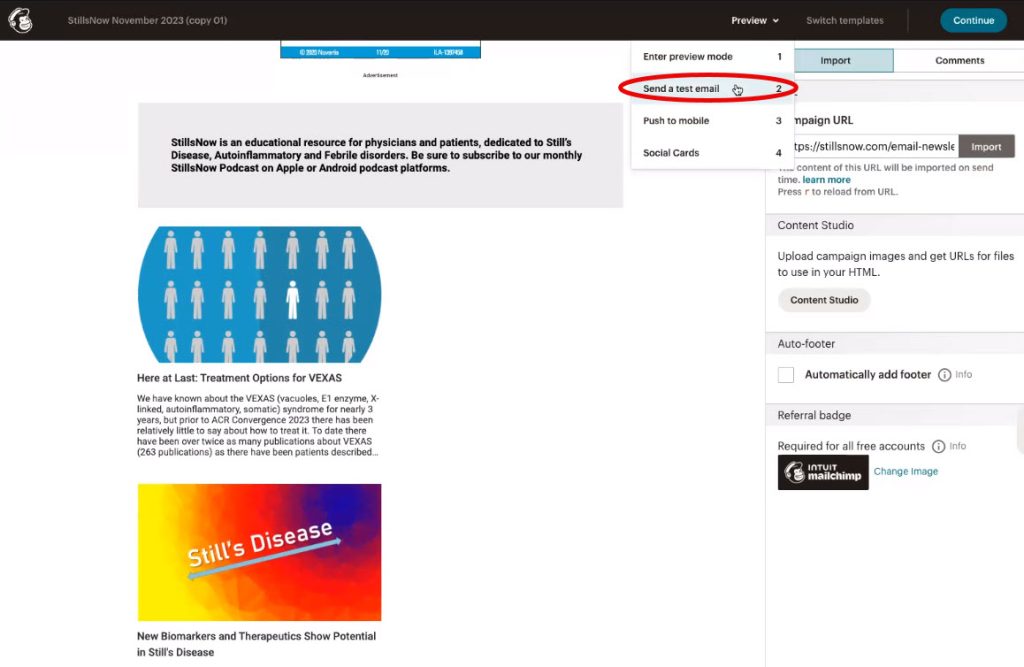
Step 11
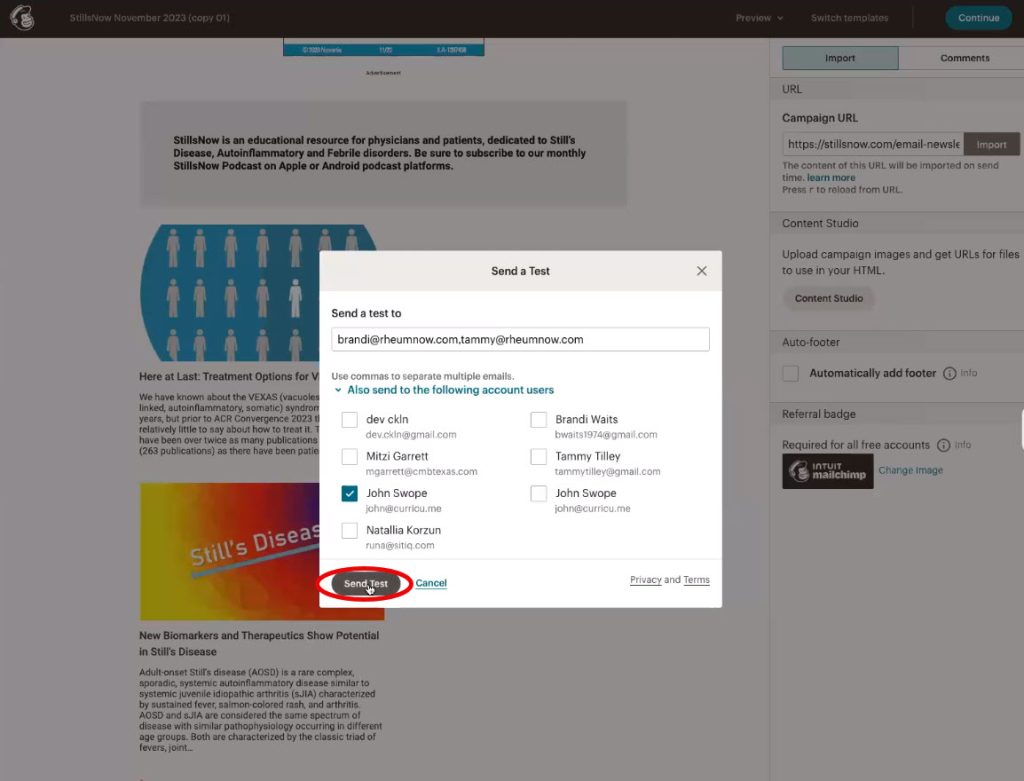
You can send the email to whoever you want by adding/ticking them, then click “Send Test“.
Step 12
To send the email, you can click the green “Send” button at the top.