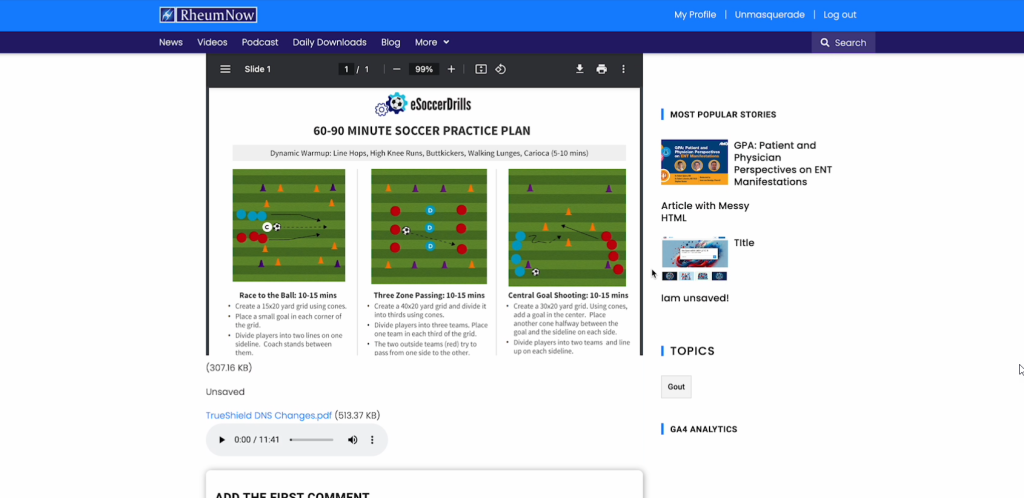
Step 1
Ensure you are logged into the site as an admin.
Step 2
There will be three sections in this document:
- Adding audio.
- Adding file.
- Adding PDF.
Step 3
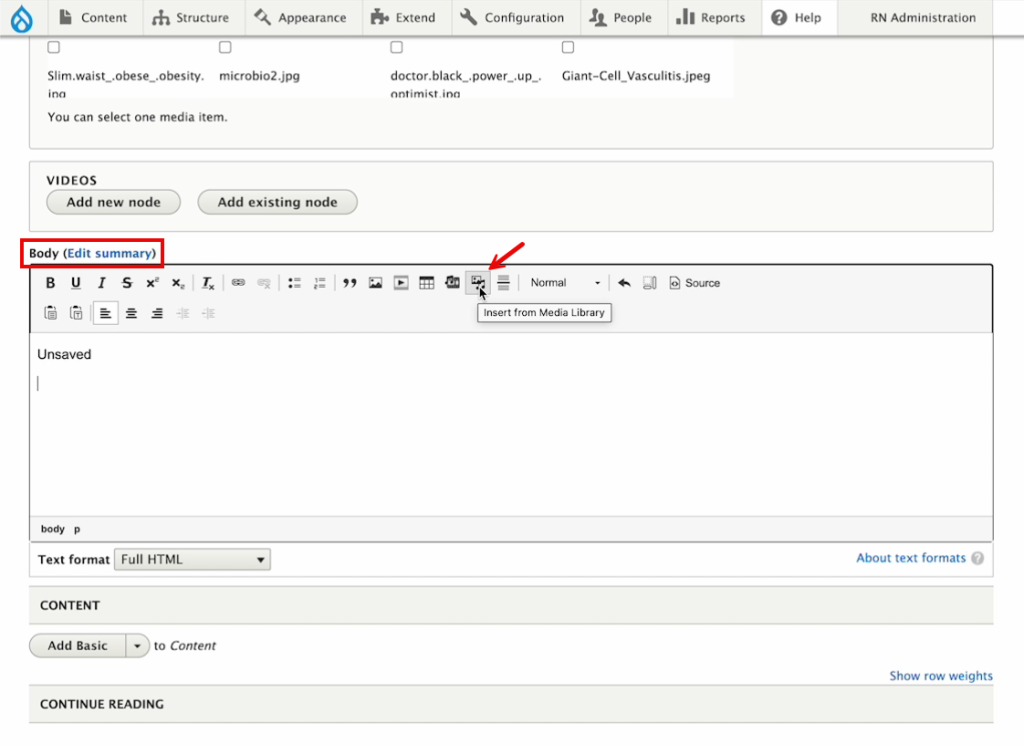
Make sure that you’re on the edit page in the body field and click on Insert from Media Library icon.
Step 4
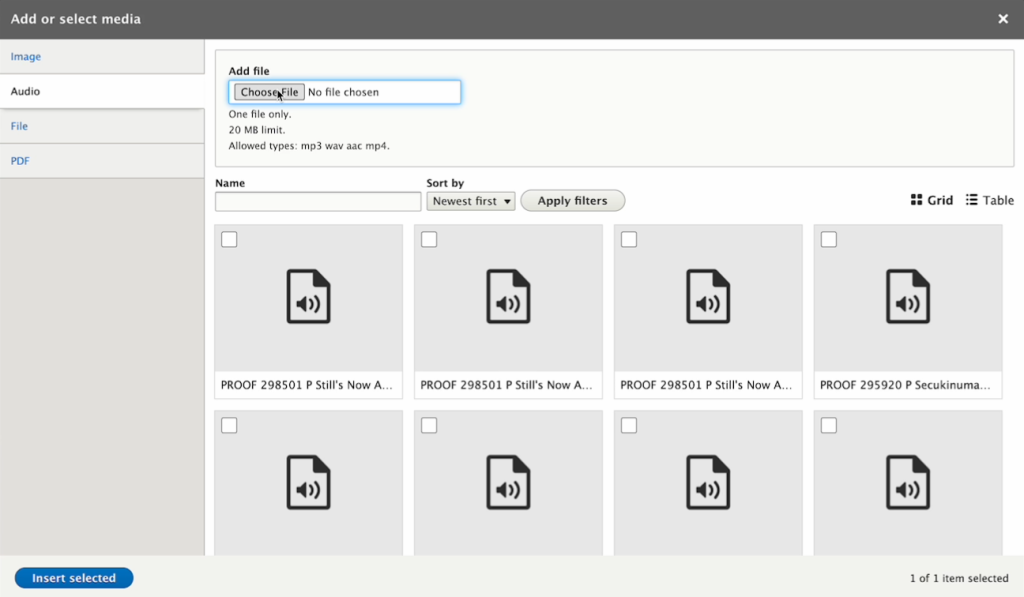
Click on the Audio tab to add an audio file. You can either Choose File from your drive or select from the audios available and click on Insert selected.
Step 5
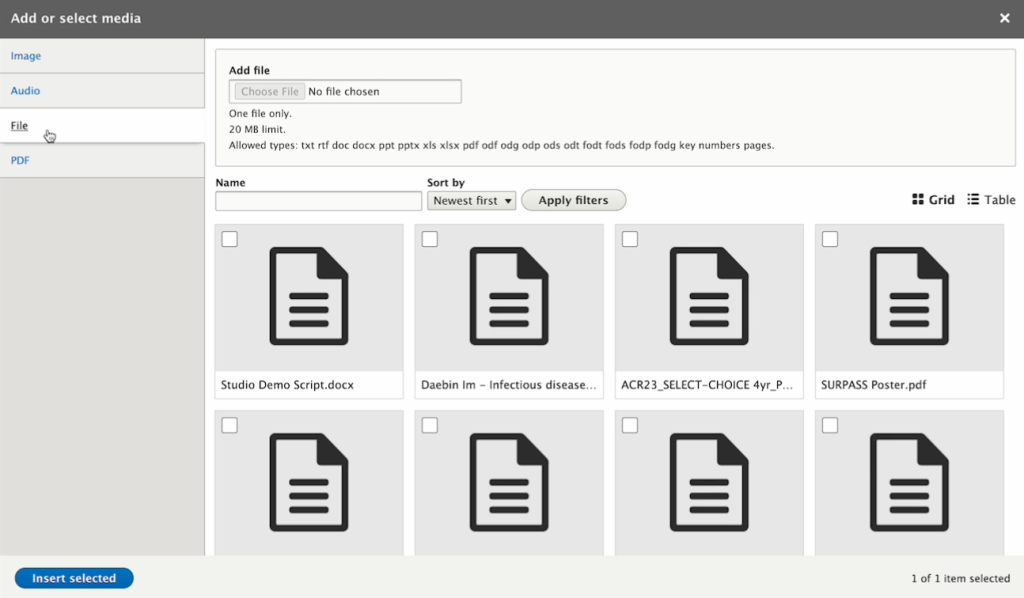
Click on the File tab to add a downloadable file. You can either Choose File from your drive or select from the files available and click on Insert selected.
Step 6
Click on the PDF tab to add a downloadable file. You can either Choose File from your drive or select from the PDF files available and click on Insert selected.

Step 7
That will give you an iframe, which when you finish, you should see in your article.