A podcast is a unique content type for images because it is one of the only images on the site that doesn’t use a rectangular 16:9 image ratio.
Podcasts have square thumbnails, because that is what most podcast apps require:

Podcast Thumbnails Hosted outside RheumNow
Podcast thumbnails are usually hosted on our podcast hosting platform (currently, SoundCloud which gets its data from PodBean)
Generally, the image url will be a URL that ends in a .jpg or .png extension and gets populated automatically via the podcast import job.
Adding a Podcast Thumbnail Manually – Use a Past Example
The easiest way to manually populate a podcast thumbnail is a grab an existing thumbnail from the image url field on an existing podcast node in RheumNow.
Adding a Podcast Thumbnail Manually – Add a New Image
In the rare case that you must add a new image, first make sure the image is a square image.
Then, you can grab the image url by following the Adding Reusable Media Files instructions, and paste the url in the Image URL field
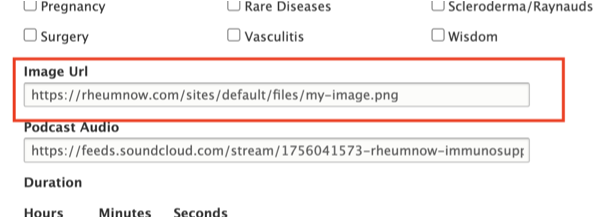
If you face any issues, ensure that the image url ends in .png or .jpg