Occasionally, we need to upload and store media files like audio, PDFs, etc so that we can reuse them in other parts of the site.
For example:
- Uploading a PDF for a call-to-action button on a Video Poster
- An MP3 file for a manually created Podcast
Here are the steps:
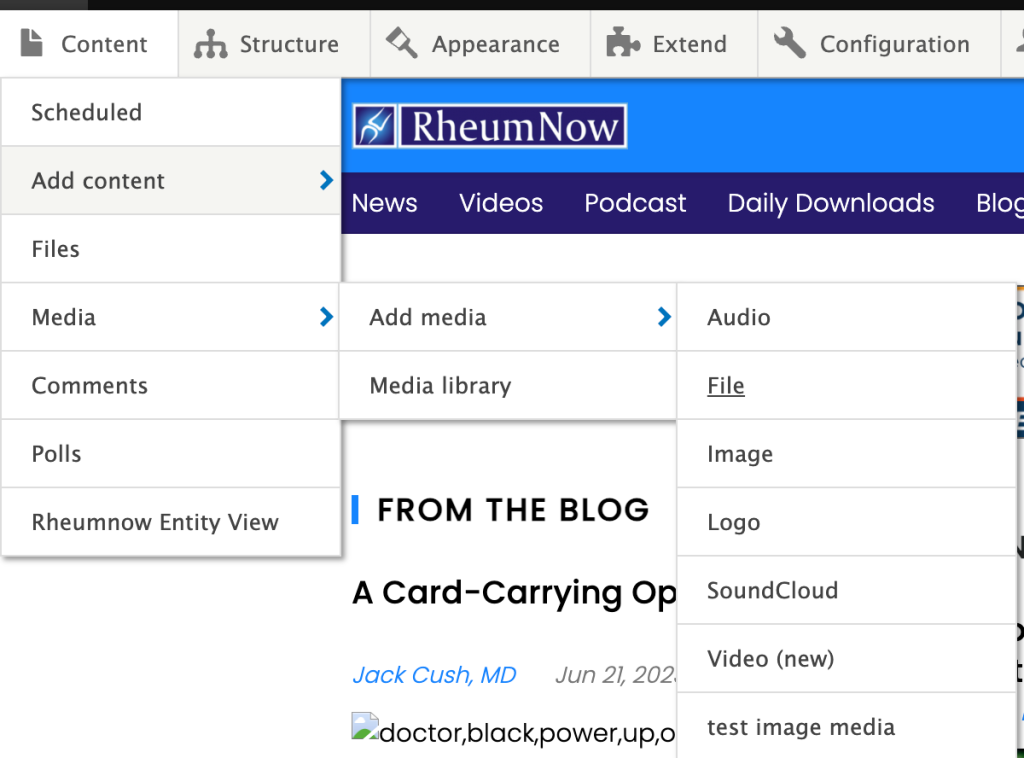
1. As an admin, navigate the admin menu to Content>Media>Add Media>File
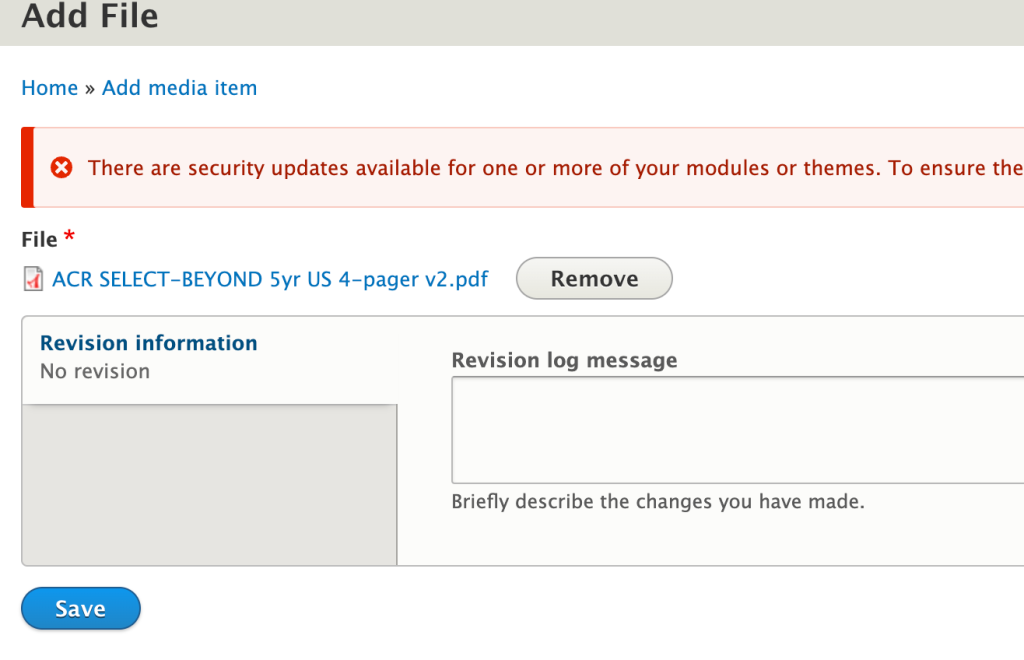
2. Choose the PDF you want to upload from your computer. Then save the PDF.
3. Once the save is completed, you should see the file as the latest item in Grid view of the Media page. Click on the copy icon to copy the URL to the PDF
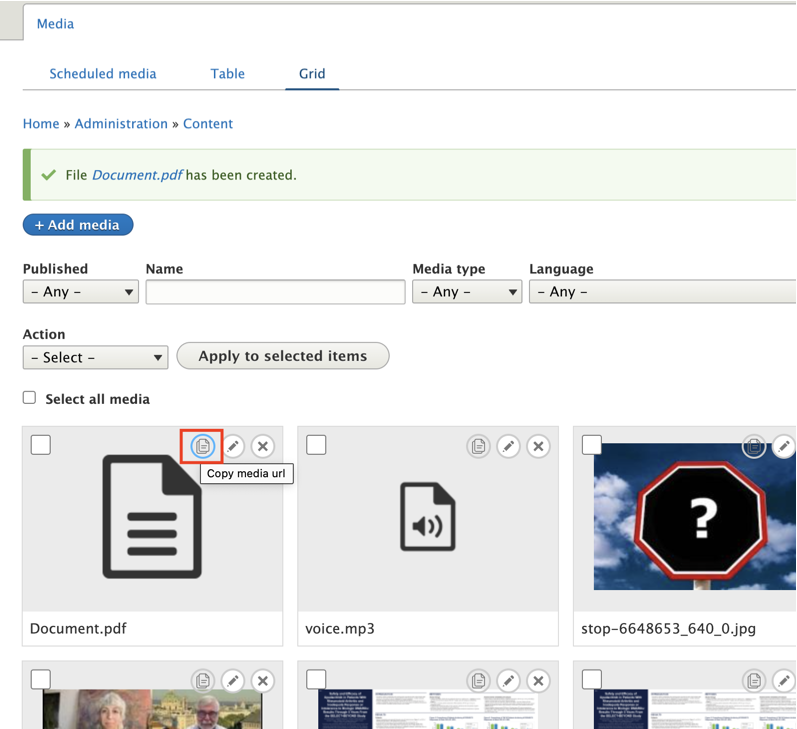
Note: You want a URL that ends in the media type of your file (e.g. “.pdf”). If your URL looks like https://dev.rheumnow.com/media/206501 then that will not work.